Key takeaways
- Measure packaged components and the delivery route before arrival.
- Distinguish the booth footprint, assembly clearance and operating space.
- Use the current model-specific manual and record the handover.
Start with the exact model and its instructions
A successful booth installation begins before the delivery arrives. The floor plan must accommodate the finished pod, but the delivery team also needs a route for its packaged components and room to assemble them. These are different measurements.
This guide is a preparation and handover checklist for office and facilities teams. It draws on ROOM and Framery documentation checked on 27 September 2026. It is not a substitute for the current installation manual supplied for your model. FLYDESK sells office pods; confirm its installation arrangements in the quotation for your destination.
Confirm who will assemble the booth
Get the model reference, configuration and current manual from the supplier before booking labour or delivery. Establish whether installation is included, who is responsible for it and what work the building team must complete first. Ask about the tools, handling equipment and number of installers required by that exact product.
ROOM publishes a Phone Booth assembly manual and video, and describes an assembly service on its preparation page. Framery provides technical manuals and training resources for installation partners. Those different support routes are a reason to confirm the agreed service rather than assume all pods are suitable for the same do-it-yourself approach.
Measure the delivery route using packaged dimensions
Request the dimensions and weights of the packages, not just the assembled booth. ROOM's preparation page identifies the largest and heaviest boxes and asks customers to check lifts and stairwells. A product that fits its final position may still be difficult to deliver through a narrow turn or into a lift.
Record the route from unloading point to installation area, including doors, corners, lift entrances and any stairs. Share photographs and measurements with the delivery provider where useful. Confirm the booked delivery service covers the actual floor and access conditions, and agree where packaging can wait without blocking circulation.
Allow for assembly space as well as everyday use
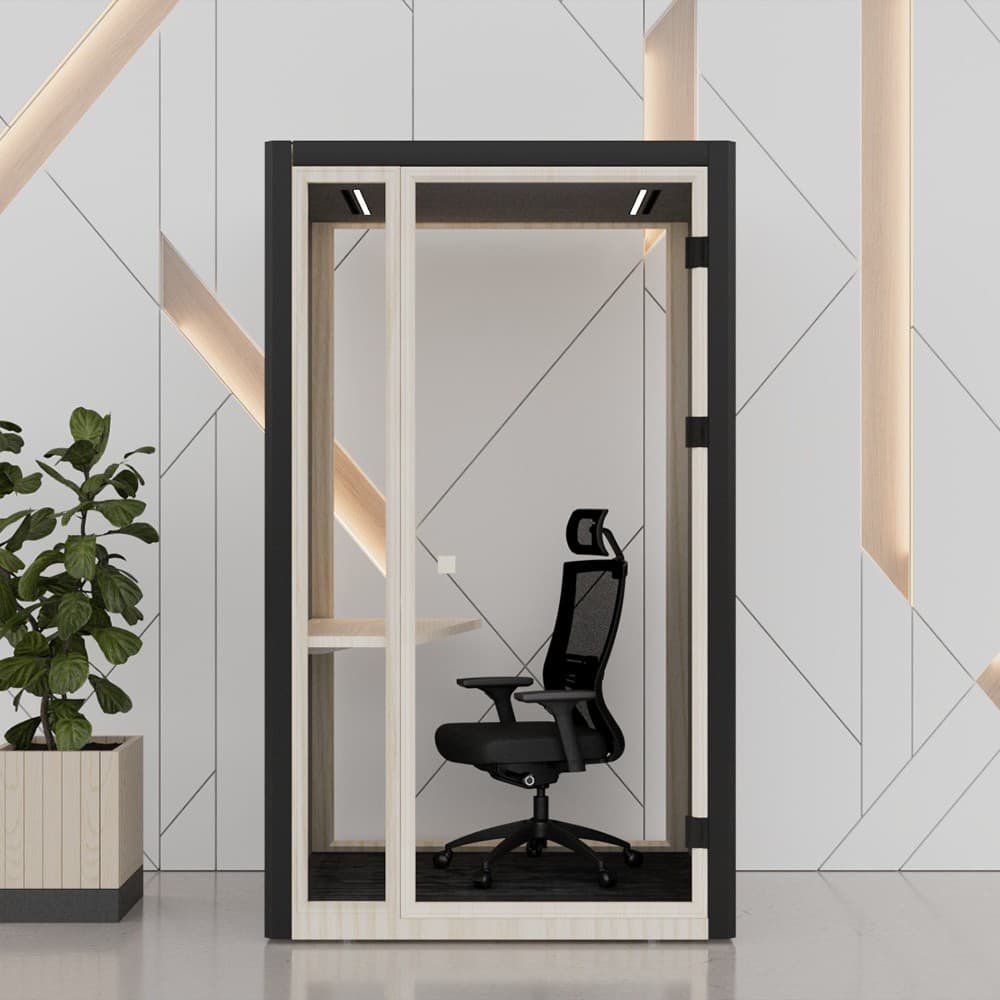
Use the manufacturer's drawings to mark three things on the plan: the pod itself, the clearance needed to install it and the space needed to enter and use it. Include the open door and the route past neighbouring furniture. Check ceiling clearance rather than comparing only floor dimensions.
Framery's published drawings for Framery Four separate operating space from installation space. Their measurements apply to that model and configuration; they should not be copied to a different booth. Ask the supplier to confirm your proposed position and the access needed for later service or relocation.
Resolve power, ventilation and building constraints first
Confirm the electrical specification, cable route and connection arrangement for the ordered version. Do not assume that an outlet visible in a product photograph is the one supplied in your country. Framery's FAQ explicitly distinguishes country-specific outlets and directs readers to product guides for detailed specifications.
Ask the facilities team and supplier to review the intended location for ventilation, floor suitability, access and the building's requirements. Keep the manufacturer's air inlets, outlets and service clearances available. If the project needs electrical work or changes to the building, arrange them with the appropriate qualified people before installation; a generic article cannot approve the site.
Receive the parts, then follow the supplied sequence
Nominate someone to receive the delivery and compare it with the order and packing list. Record visible damage or missing components and agree the next step with the supplier before assembly proceeds. Keep model references, delivery records and photographs together so that a support request can identify the affected part.
The installer should follow the manufacturer's sequence, fixings and adjustment instructions. Do not improvise by drilling new holes, adding adhesive, changing seals or fitting extra shelves because a generic checklist suggests it. Stop and ask the supplier when parts or instructions do not match. The preparation work above supports the installation; it does not replace the manual.
Check the finished booth with the people who will use it
Use the manufacturer's handover checks and add a practical trial of the intended task. Can users enter, close the door and work comfortably? Do the supplied lighting, ventilation and outlets operate as documented? Try a normal call with someone listening outside, while recognising that this is a practical observation rather than a certified acoustic test.
Record defects and outstanding work before signing off the installation. Make sure users know how to report problems and who owns maintenance. The following handover record is an operational suggestion, not a manufacturer certification:
- Exact model, configuration, location and supplier contact.
- Installation date, installer and applicable manual version.
- Checks completed, defects recorded and actions still open.
- User guidance, maintenance instructions and warranty documents received.
Plan how the booth will be shared
Agree the intended use, any booking rules and how users leave the space ready for the next person. Review whether call space is actually available at busy times before buying more. If people need longer individual work sessions, revisit seating and suitability rather than treating every small booth as a full-time workstation.
For a FLYDESK project, include your location, intended use, floor plan and delivery constraints in the enquiry. Ask for the selected configuration, installation scope and total quoted cost. A product image does not confirm those terms.