Key takeaways
- Choose for the task and expected session length, not just the number of seats.
- Request model-specific evidence rather than relying on the word soundproof.
- Compare complete installed configurations, including site access, furniture and support.
Start with the work the pod must support
A short phone call, an hour-long video meeting and a two-person discussion need different layouts. Before comparing products, write down who will use the pod, what equipment they need and how long a typical session lasts. Include the people who will actually use it in the evaluation.
This is a purchasing checklist, not a hands-on product test or a ranking of manufacturers. The linked technical sources were reviewed on 16 September 2026. Ask suppliers to confirm the specifications of the exact model, configuration and market in your quotation.
1. Check usable space, not just external dimensions
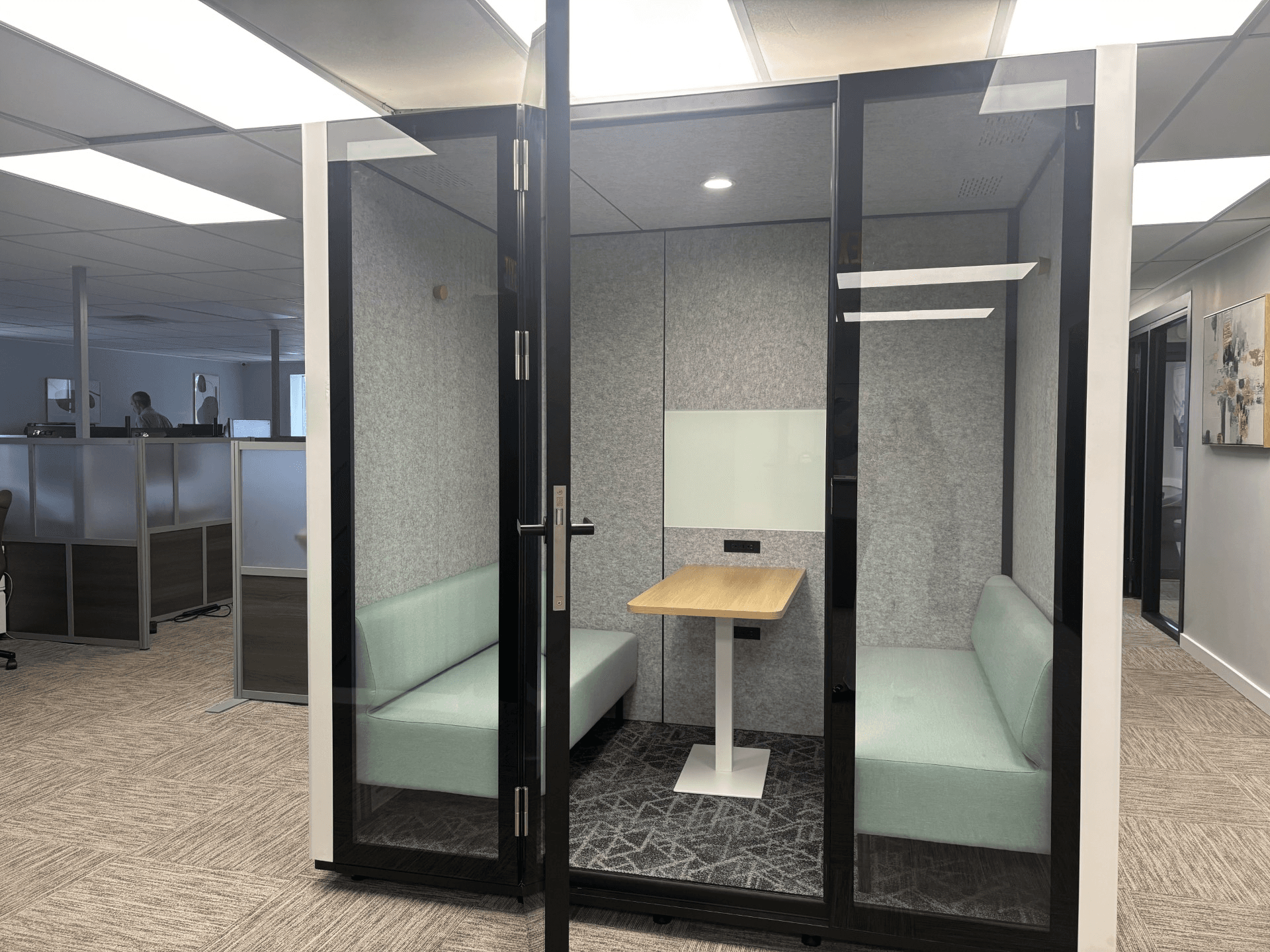
Mark the proposed footprint on your floor plan and consider the door opening, approach route and space needed around it. Inside, test the actual activity: sitting down, opening a laptop, moving the chair and sharing a screen. A seat count alone does not describe comfort or suitability.
Ask for both internal and external dimensions, furniture details and installation clearances. Discuss access needs with your facilities team and supplier before choosing the location. Do not assume that every compact booth works for every user.
2. Ask what the acoustic claim measures
ISO 23351-1:2020 describes a laboratory method for comparing how furniture ensembles and enclosures reduce speech from a person inside. It is a useful reference when asking which test method supports a supplier's claim; the standard's public abstract is not a test report for a particular product. ISO: scope of the laboratory method.
Request the model-specific result, test method and configuration. A laboratory figure should not be treated as a guarantee that conversations will be confidential in your office. Check the proposed location and evaluate the experience with realistic speech and surrounding activity. For sensitive conversations, have the suitability assessed rather than relying on a marketing label.
3. Evaluate comfort over a realistic session
Try the pod for the duration of the task you expect it to support. Assess seating, working height, lighting, fan noise and how comfortable the space feels with its intended occupants and equipment. Ask how ventilation is controlled and maintained, and which conditions the published figures describe.
Specifications differ by model. For example, Framery publishes separate acoustic, ventilation, lighting and connectivity information for One Compact. Use that level of detail as a reason to ask specific questions, not as evidence that every pod includes the same features. Framery: manufacturer specifications.
4. Confirm power and connectivity in the quoted configuration
List the devices users will bring, where they will place them and what connections they need. Ask which sockets, charging ports, network connections and controls are included rather than assuming they are standard.
If the pod includes connected functions, ask what requires an account or subscription, who administers it and what data it collects. Distinguish a connection used by the pod's own systems from internet access for a person's laptop. Include your IT team where relevant.
5. Check delivery and installation before ordering
The finished pod fitting on the floor plan does not establish that its packaging can reach that floor. ROOM's preparation page separately describes delivery access, package dimensions and assembly arrangements. Obtain the equivalent information for whichever model you choose. ROOM: delivery and assembly preparation.
Walk the delivery route with the relevant measurements, including entrances, lifts, turns and the assembly area. Agree who receives, installs and signs off the unit. Ask the responsible facilities professionals about building-specific requirements; a generic product badge does not settle every site's constraints. If relocation matters, request the actual procedure, cost and warranty conditions.
6. Compare evidence and support, not a list of badges
Ask for the documents behind claims about materials, emissions, environmental impact and safety. Check the product and configuration covered, the issuer and any stated limits. Avoid treating an unexplained logo as approval of the complete installation.
Request the warranty, exclusions, cleaning instructions and replacement-part arrangements. Find out who services fans, controls, seals and furniture in your region. A purchasing decision should include how the pod will be kept usable, not only how it looks on delivery day.
7. Put every supplier on the same cost basis
Request an itemized quote in the same currency and tax basis, covering the intended furniture and equipment. List delivery, assembly, access-related charges, required site work and any recurring service separately. Record exclusions and quote validity so an attractive starting price is not compared with another supplier's complete package.
Do not justify the purchase with an invented productivity percentage. Compare realistic space options and budget assumptions, then decide how you will assess use and user feedback after installation.
Use this list in your supplier brief:
- Exact model, configuration and intended occupancy.
- Acoustic evidence, dimensions and installation information.
- Furniture, power, controls and any connected-service requirements.
- Delivery, assembly, exclusions, warranty and local support.
- Total price, taxes, recurring costs and validity date.
Choose the pod that fits the requirement
Shortlist against the same written requirement, try the leading options where possible and resolve missing information before ordering. Keep the technical documents with the quote. The goal is a suitable, maintainable space for a defined activity, not the longest feature list.
For the wider layout, use the office space guide and calculator. Compare phone booths and meeting pods or review dated price examples and exclusions. FLYDESK also offers a commercial Pods enquiry route; this checklist is not an independent product certification.